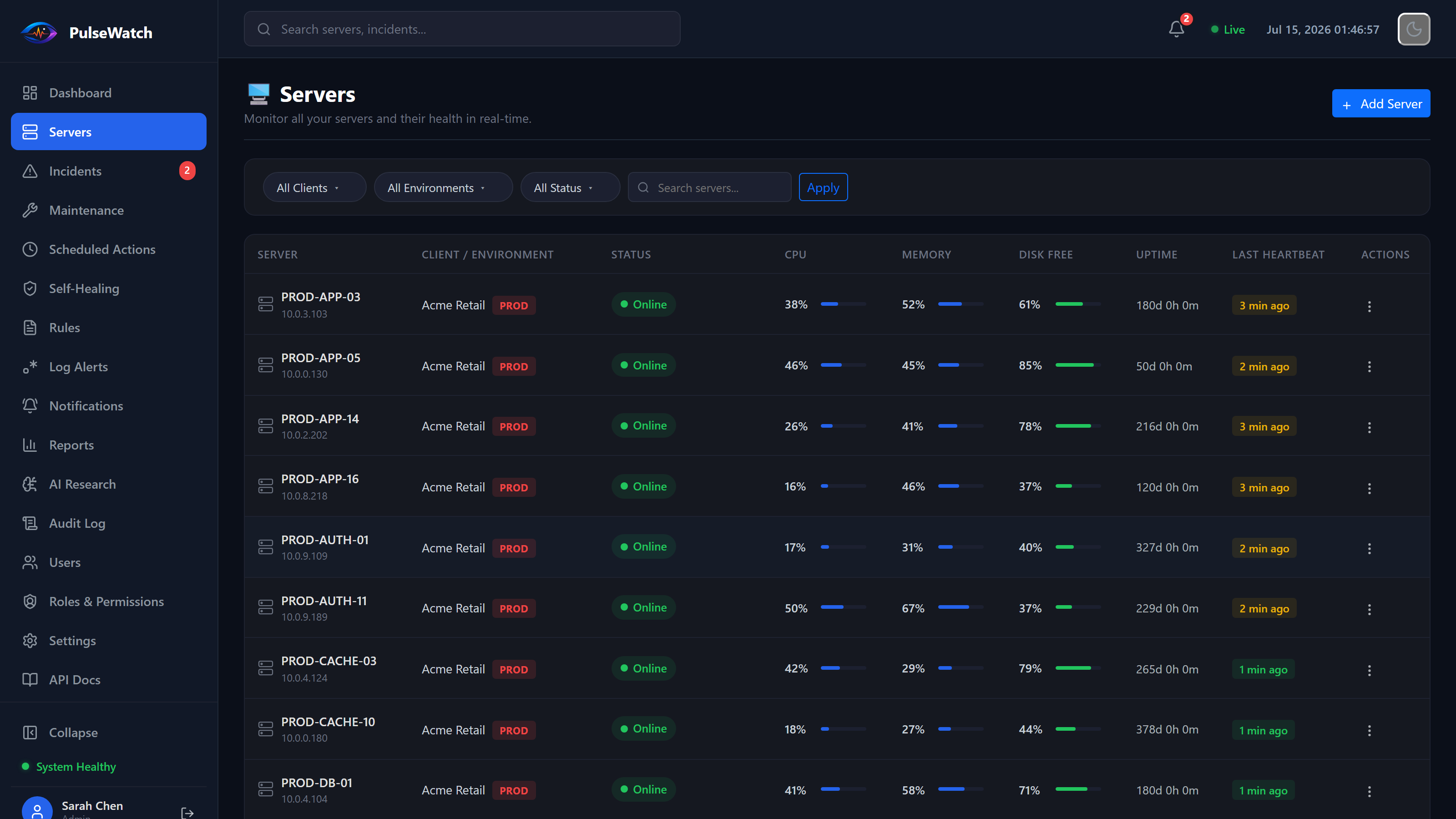
Every server, one view
CPU, memory, disk and last heartbeat across your whole fleet, filterable by client and environment.
 PulseWatch
PulseWatch brings servers, IIS, Windows Services, RabbitMQ, health events, incidents and recovery actions into one operational view.
The demo is a real running instance — five servers reporting live, incidents firing on their own, and every button works: restart a service, recycle an app pool, edit a self-healing rule. It resets nightly, so break whatever you like.
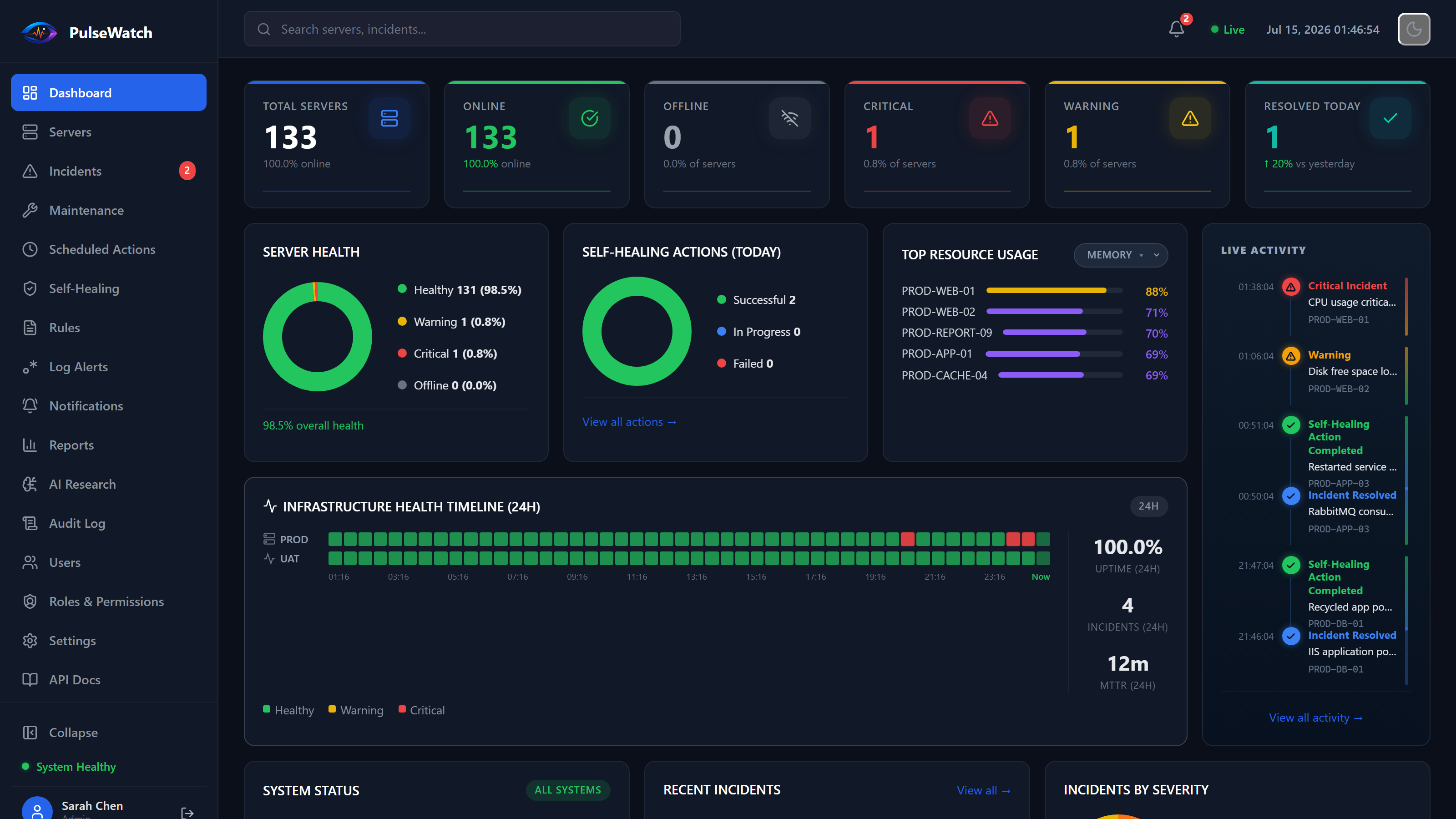
These are screenshots. The real thing is one click away — open the live demo and click the buttons yourself.
CPU, memory, disk and last heartbeat across your whole fleet, filterable by client and environment.
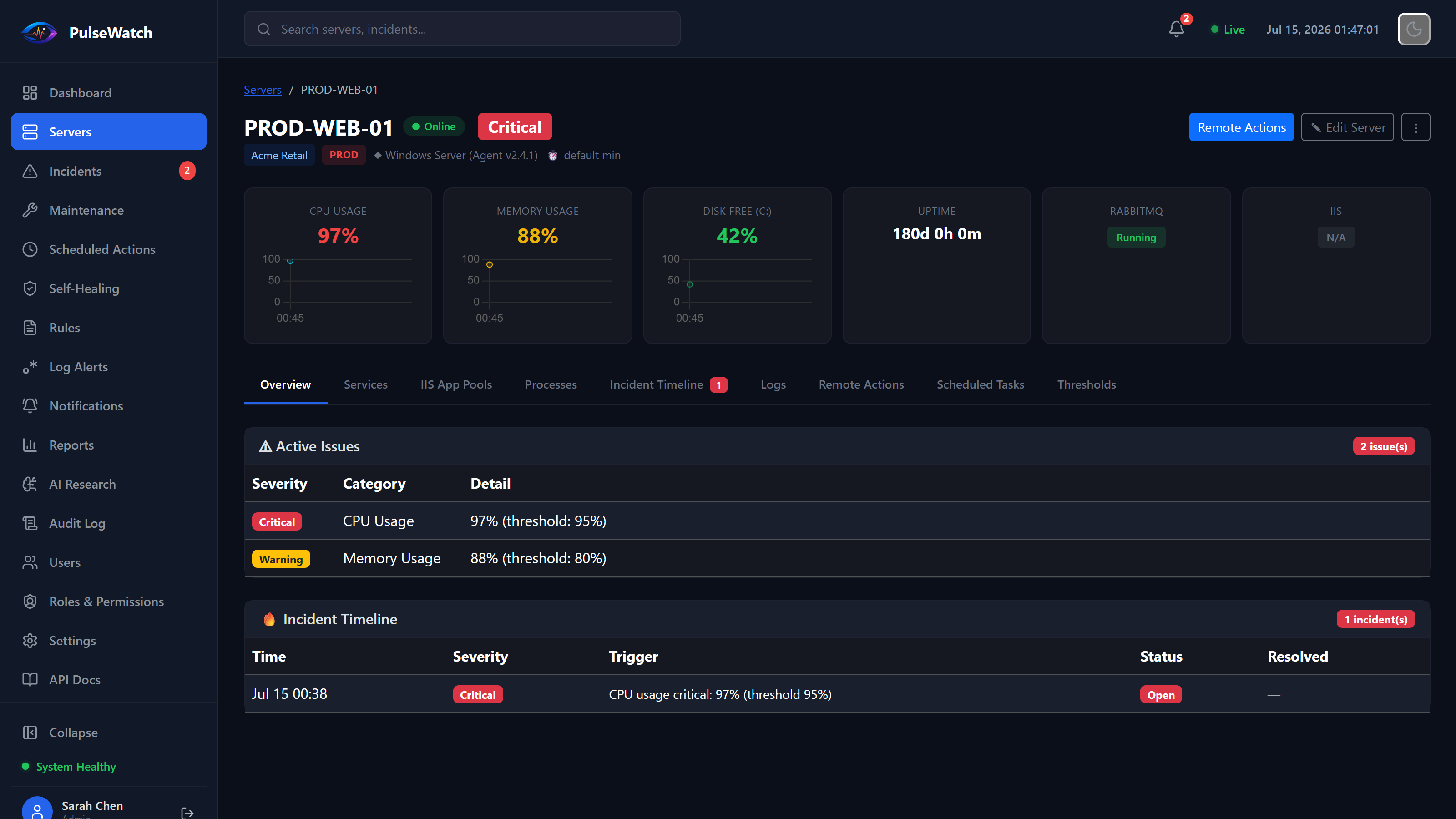
Live metrics, active issues and incident history for a single server, without leaving the dashboard.
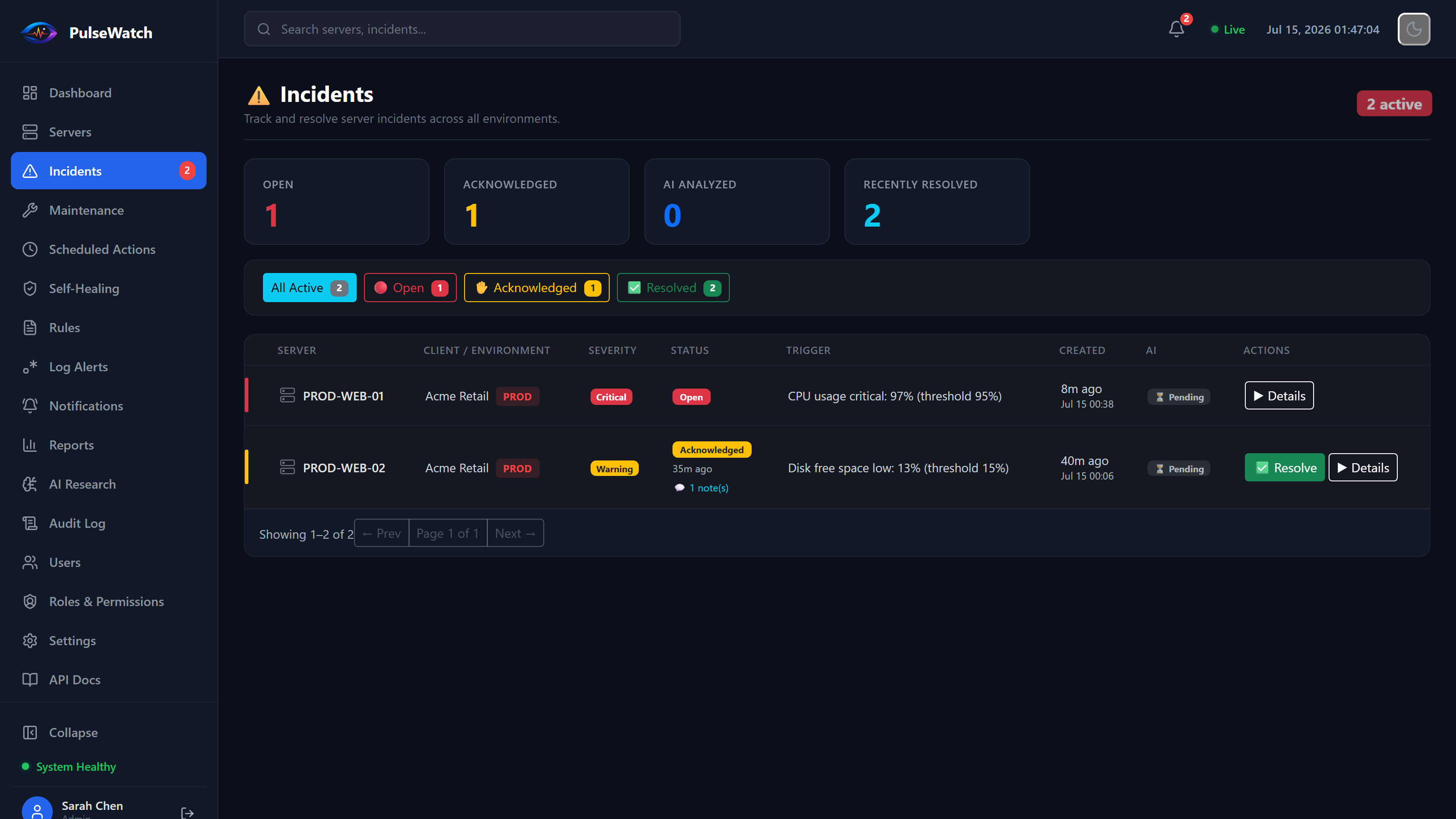
Every incident carries its severity, trigger condition, and full acknowledgement-to-resolution trail.
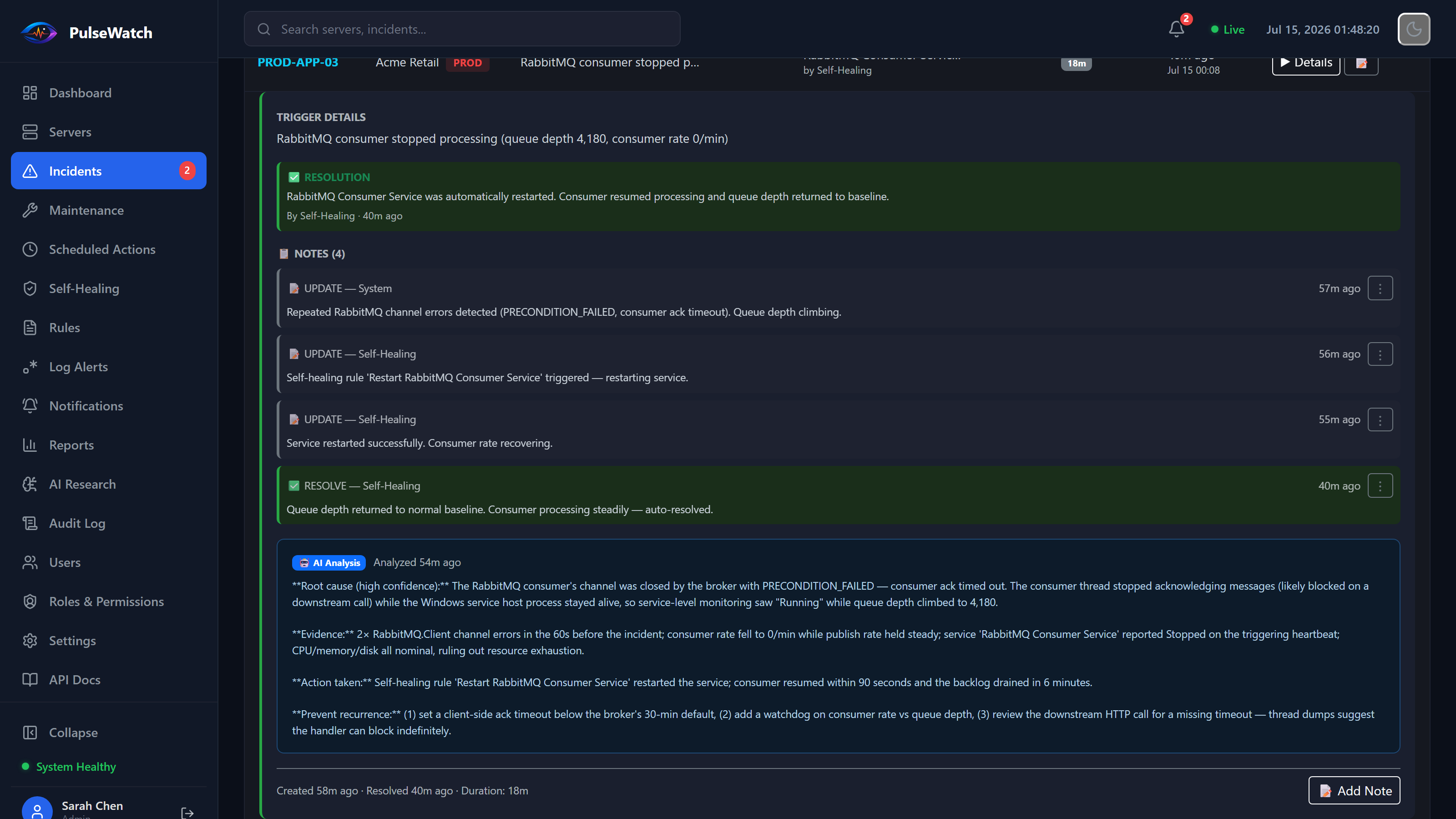
Correlates recent events and prior incidents to explain what happened and how to prevent it recurring.
See server health, IIS state, service failures and heartbeat gaps from one operational dashboard.
Run approved remediation actions only when conditions are met, with dry-run checks and full audit trails.
Turn noisy system events into clear incident timelines that teams can act on without guessing.
Install a lightweight Windows agent to monitor servers, services, IIS, and application health.
Connect the systems your team depends on and keep a single view of server posture and incident history.
Surface incidents automatically, identify likely causes and surface the right operational context immediately.
Run approved actions such as service restarts or app-pool recycling with safeguards, reporting and escalation.
PulseWatch focuses on operational context: what failed, what changed, what was affected, and what action is safe to take next.
Track CPU, memory, disk, services, IIS application pools, heartbeats and server availability from one place.
Automatically create, acknowledge, resolve and audit incidents across clients and environments.
Restart approved services, recycle application pools and execute controlled remediation workflows.
Validate automation rules before enabling live actions. Configure cooldowns, hourly limits and failure escalation.
Suppress unnecessary alerts during deployments, maintenance work and planned infrastructure changes.
Correlate infrastructure signals, recent events and previous incidents to support faster root-cause analysis.
Create remediation rules for known operational failures while keeping strict control over scope, frequency and permitted actions.
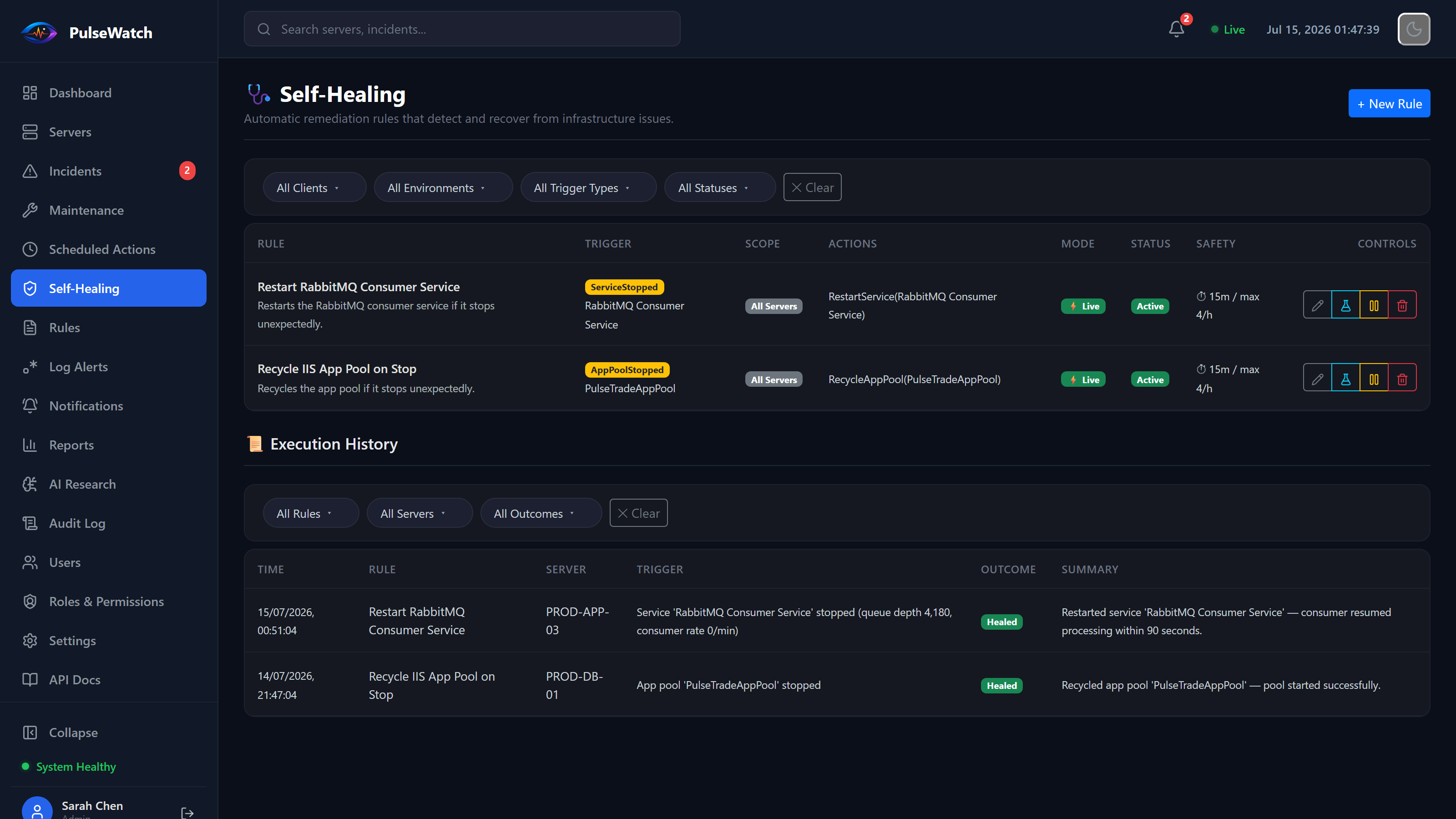
Give support teams a single operational view across Windows servers, services, IIS and infrastructure alerts.
Monitor multiple clients and environments while keeping incidents, permissions and automation policies separated.
Connect application health with the servers, services and infrastructure components that keep the system running.
Yes. PulseWatch is designed for Windows infrastructure, including servers, IIS, services and core platform dependencies.
Yes. Actions can be configured with dry-run validation, hourly limits, allow-lists and maintenance-window controls before live execution.
Absolutely. We can scope a limited pilot around your most important Windows systems and help you validate value quickly.
Paid plans are billed through Paddle, our payment provider, who handle card processing and sales tax/VAT on our behalf. You can upgrade in a couple of clicks from inside the app — no sales call needed for Starter or Professional.
Yes — we offer a 14-day money-back guarantee on any paid plan. See our refund policy for details.
Run it on your own infrastructure. Free forever, not a trial.
Small teams that need visibility quickly.
Production operations and safe automation.
For larger organisations and regulated environments.
Starter and Professional are both self-serve — start a trial and upgrade whenever you're ready, no call required. For larger rollouts, custom onboarding, security reviews, or an SLA, tell us about your environment and we'll get back to you.
Thanks — that's with us. We'll reply to the address you gave, usually within one working day.
That email address didn't look valid. Please check it and try again — or just email [email protected].